Sign in
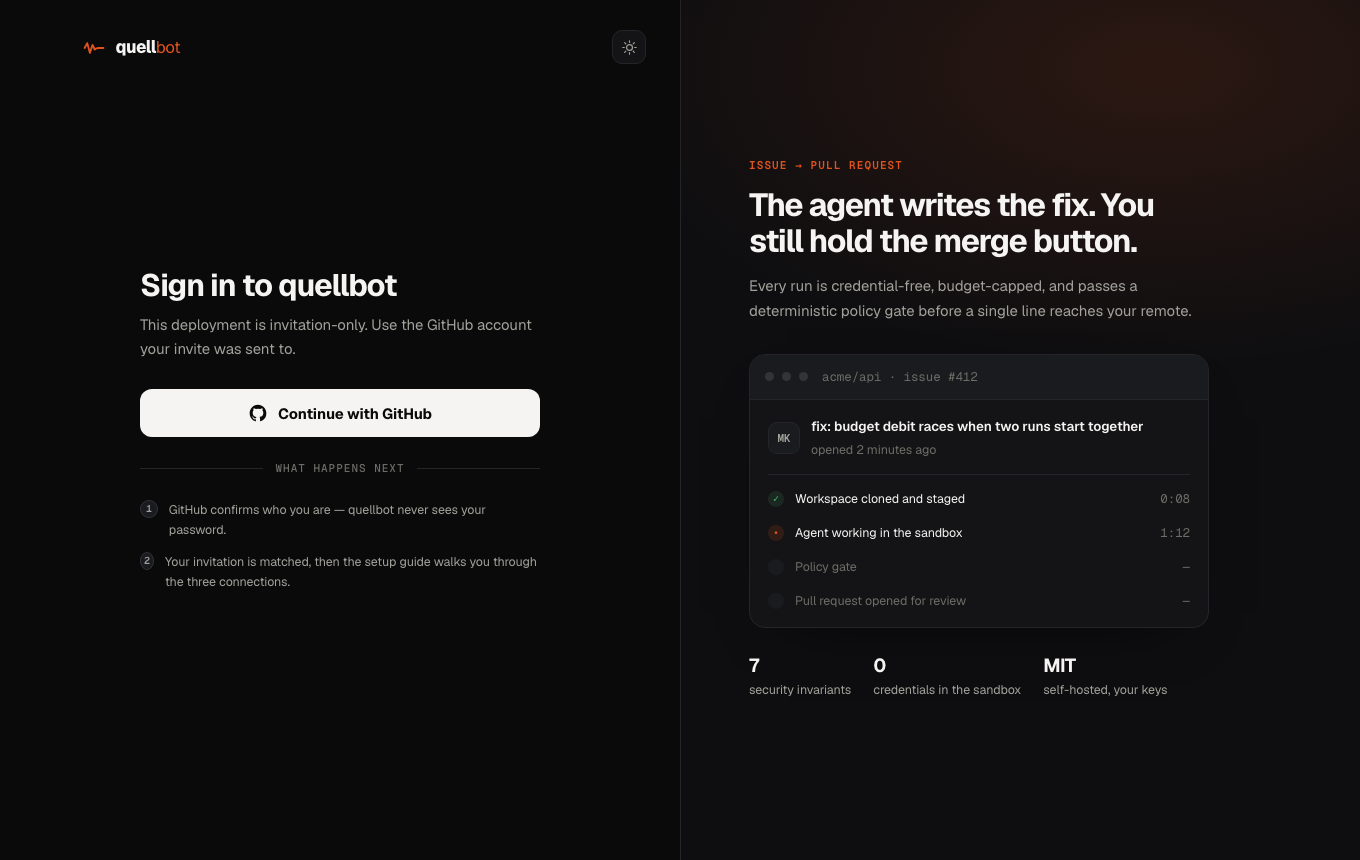
Open the console and choose Continue with GitHub. Signing in creates your account on the spot, no invitation to wait for. No install, no password; GitHub just confirms who you are. The Get started page then walks you through the three connections below, one step at a time.
Connect GitHub & Claude
Open Connections. Each connection is verified live before it saves.
claude setup-token and paste the sk-ant-oat01-… value. Stored encrypted; it never enters a sandbox.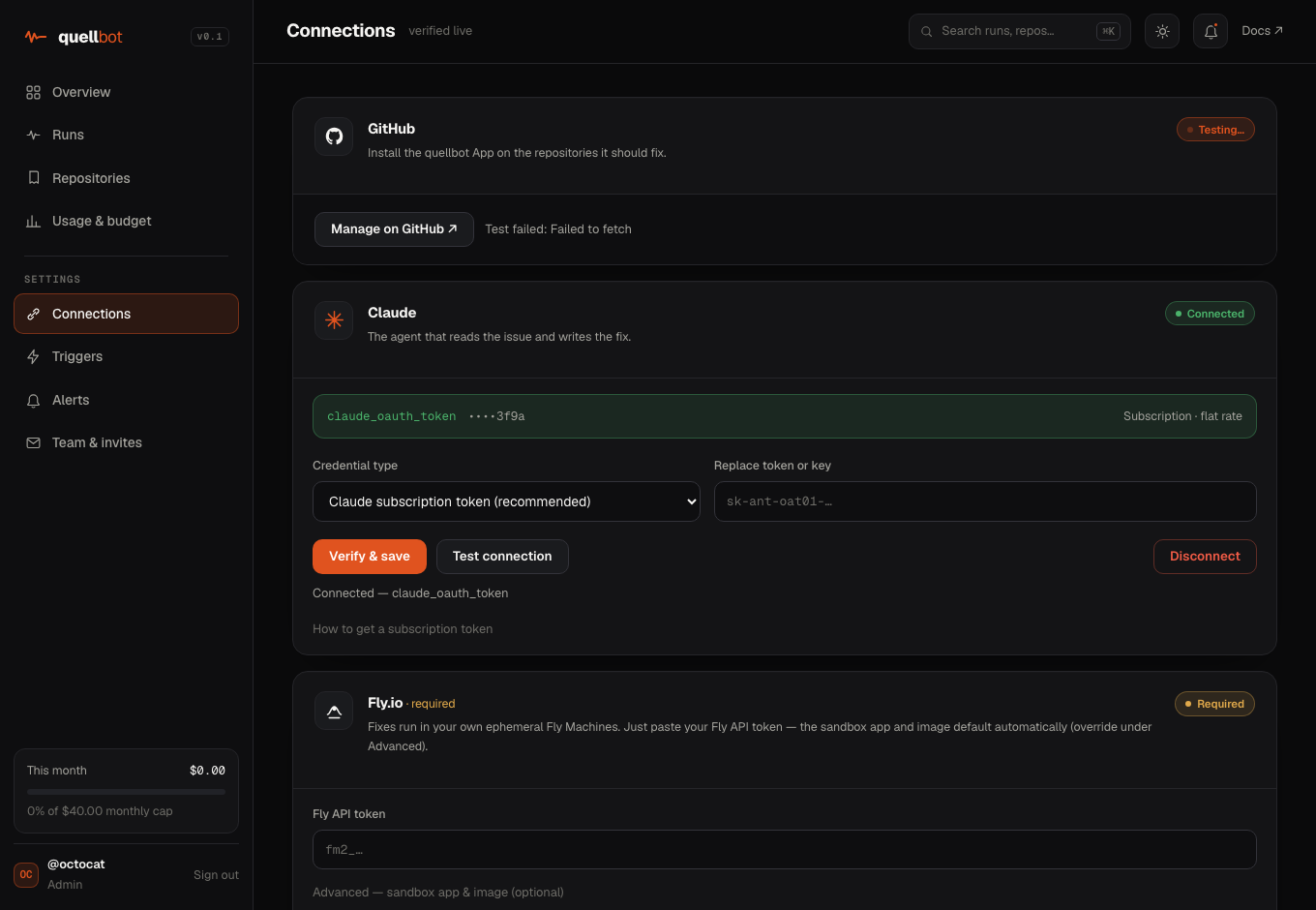
Model lanes: Claude & Codex
A lane is the engine quellbot uses to think. Claude (Anthropic) is the default; Codex (OpenAI) is a full peer, so reviews, CI triage, and mention replies can run on either. You bring your own account for whichever you pick, and each lane's spend stays on that account.
codex login keeps working. For an OpenAI API key, paste it in Connections → Codex and hit Test connection. Either way it is stored encrypted and refreshed automatically.Set up your Fly.io runner · required
Runs happen in your own ephemeral Fly Machines. Setup is one value, a Fly API token, connected either way: create one in the browser and paste it, or let the CLI do it. quellbot creates the sandbox app and pulls a public image for you; nothing to build, no app to create.
quellbot, and paste it on the Get started page or under Connections → Fly.io.flyctl? Run npx quellbot-connect fly <code> with the code the console shows you. It mints a token and connects it.Model & repositories
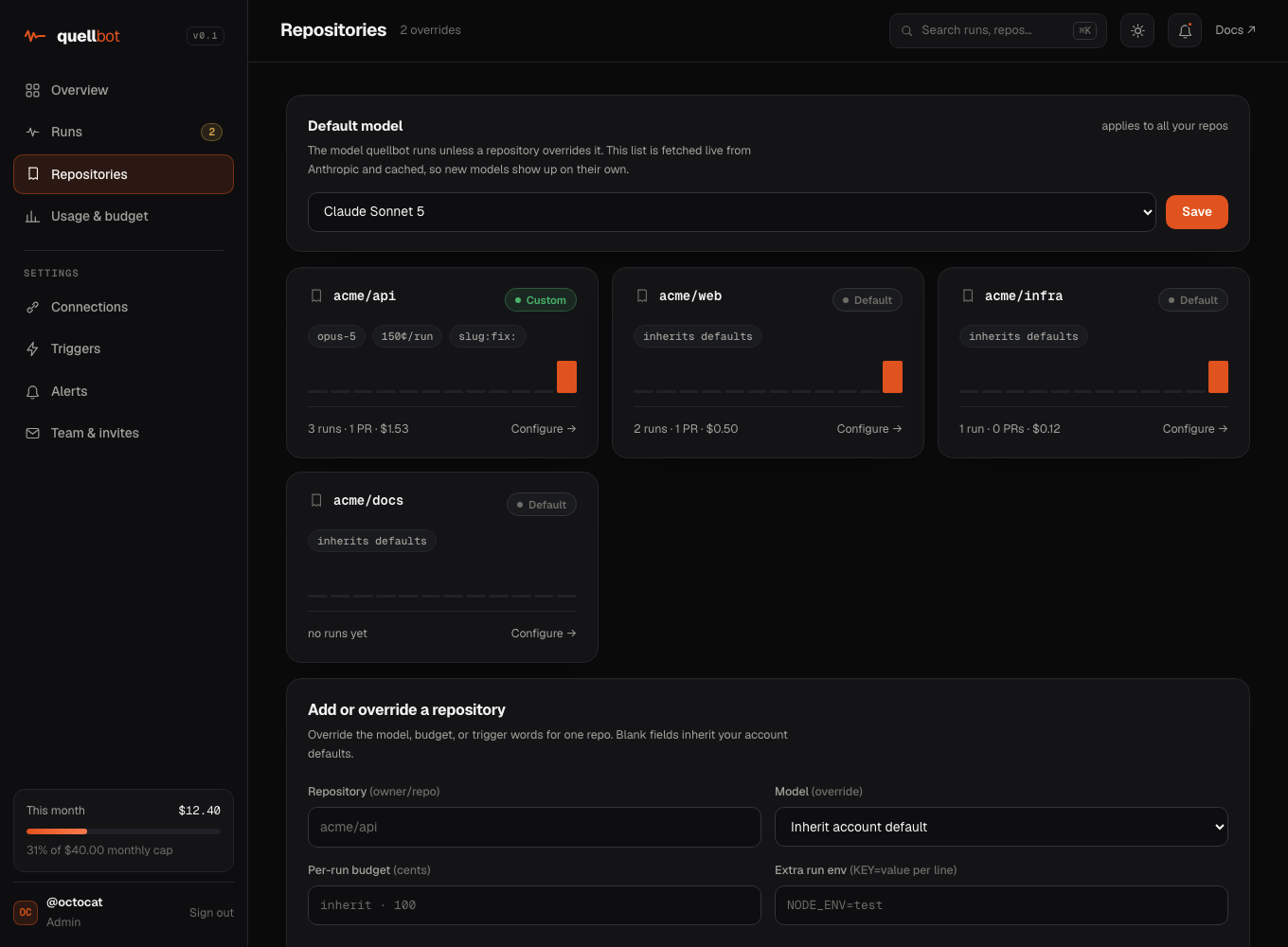
In Repositories, set the default lane and the model on it (fetched live from your provider, so new models appear on their own), and override the lane, model, per-run budget, or trigger words for any single repo. Blank fields inherit your account defaults.
Triggers
Under Triggers, choose the opening slugs that start work, yours to define, whether quellbot builds automatically after planning or waits for a /build reply, and whether new issues get triage labels. These are your account defaults; a repository can override them.
/build.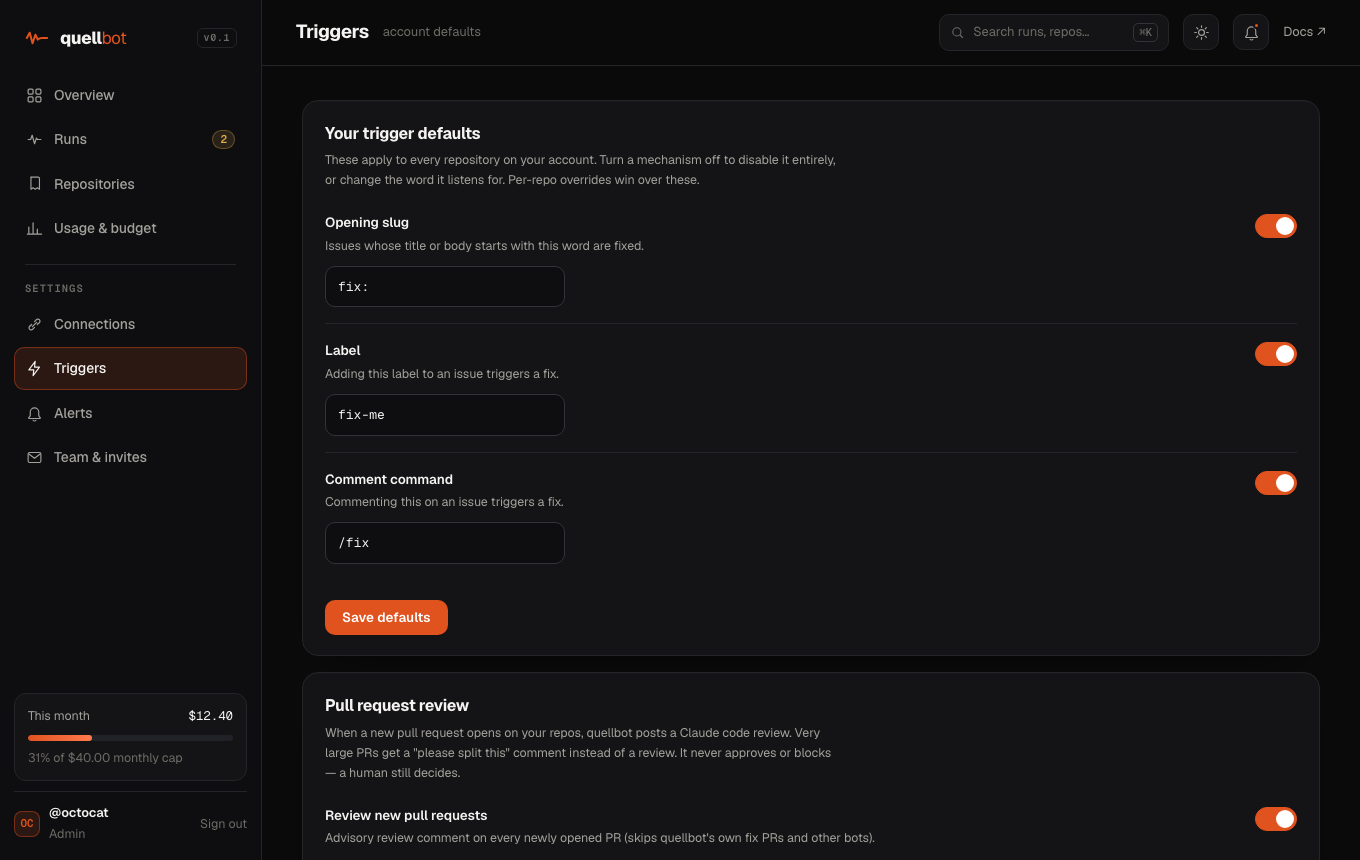
Run a fix
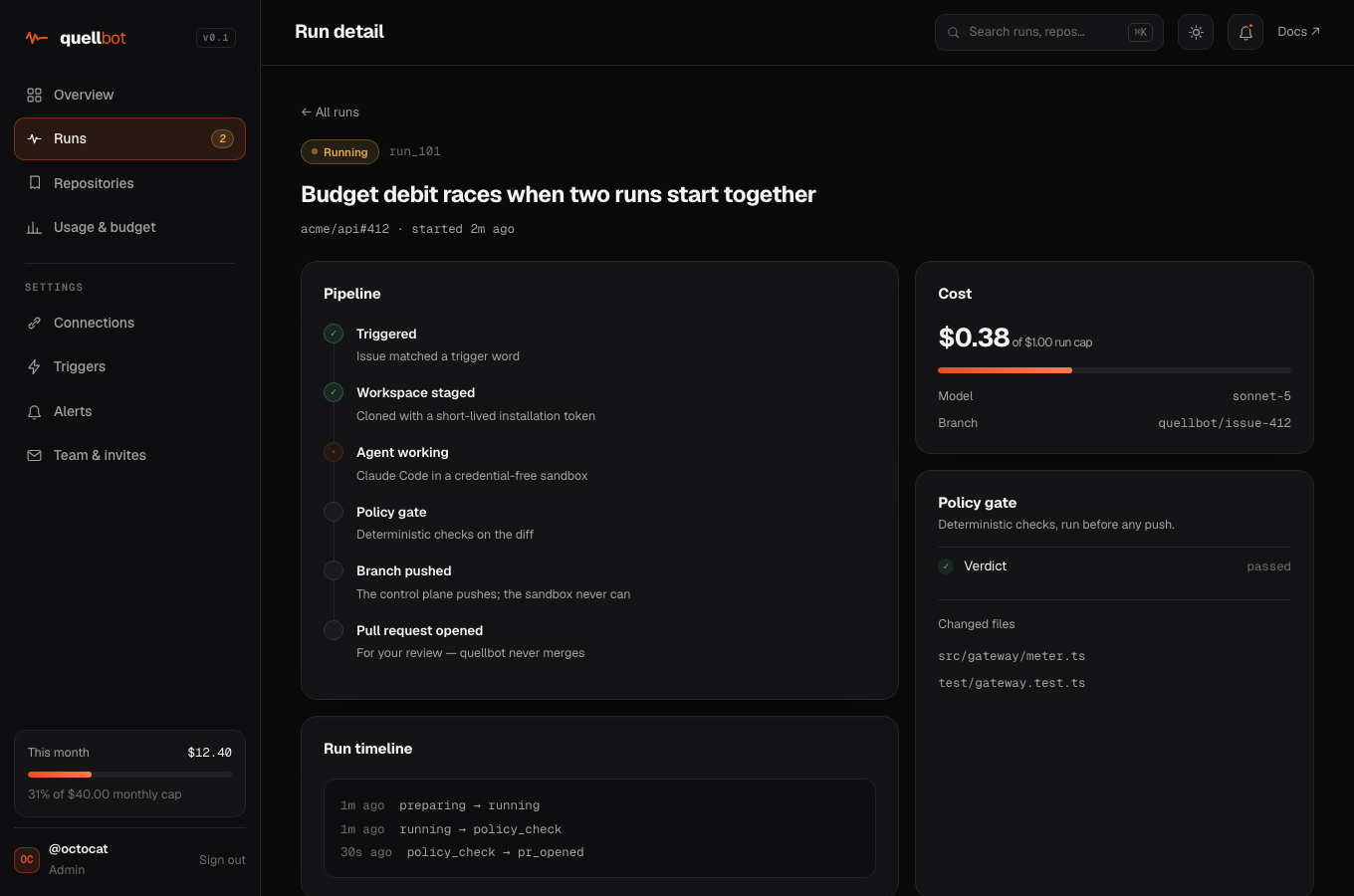
Open an issue whose title starts with one of your trigger slugs on an installed repo. quellbot reproduces the bug, makes the smallest change that fixes the root cause, runs your tests, policy-gates the diff, and opens a pull request, usually within a minute. It opens the PR and stops, never merging and never touching your default branch or .github/. Follow it live on the Run page: pipeline, cost, policy verdict, changed files.
Your dashboard
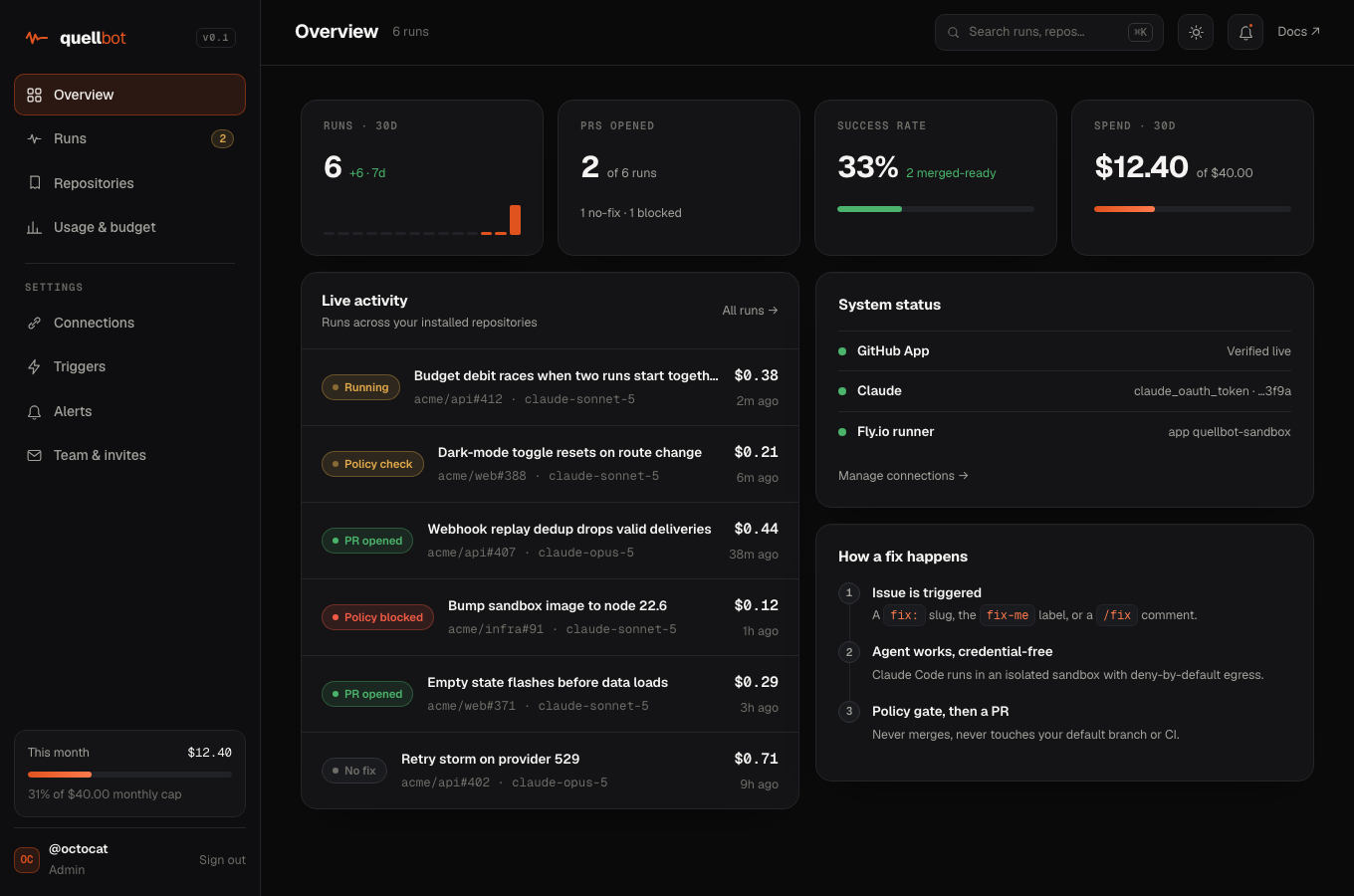
Runs is the console's home: one stream of everything quellbot did across your installed repos, newest first. Each card is the result itself, a pull request, a review, a CI cause, or a reply, with its cost. Open a fix to see its timeline, policy gate, and changed files. You only ever see your own runs and budgets.
Budgets & alerts
Set a monthly cap on the Usage page. It is the only cap you set, and it covers every path that spends tokens: fixes, builds, reviews, CI triage, and replies all count toward it; once your account crosses it, quellbot holds new work until the cap resets or you raise it. There is no per-run cap to size: the model gateway bounds every run against a safety limit with an atomic debit, so a single runaway can never overspend, and what each run actually cost is shown on its card and its run page.
When something needs you, quellbot raises an alert (on the Alerts page, with an unread badge) and, for the two that are actionable, sends one throttled email: your model credential stopped working, or your monthly cap was reached. Rate limits and runs stopped by the safety limit are recorded as alerts too, and every stopped run posts a comment saying exactly why and how to fix it.
Automatic code reviews
quellbot reviews every new pull request, not just its own, on your chosen lane (Claude or Codex). It reads the diff with your repo's own CLAUDE.md conventions in mind and posts a structured review: correctness, security, conventions, and tests. The write-up leads with a verdict (Approve / Request changes / Comment), a per-file walkthrough table, and findings grouped by severity so a busy PR never becomes a wall of text. Toggle it and the size threshold on the Triggers page.
suggestion block you can apply straight from the diff.review.verdicts: false in .github/quellbot.yml to keep every review a plain comment./review to re-run on demand, /explain for a cold-reader walkthrough, or mention @quellbot to discuss a thread. Tune it in .github/quellbot.yml (review.profile, review.instructions, review.ignore). When you publish a release, quellbot also drafts categorized release notes from the commits since the previous tag.Summary. One blocker to fix before merge, plus a convention nit. The core change is covered by a test.
auth.ts:88 dereferences session.user before the null check on line 90, so an expired session throws instead of redirecting. A committable fix is attached inline.utils/date.ts:42 calls new Date() directly; elsewhere this repo reads the clock through clock.now() so it can be faked in tests.CI failure triage
When a GitHub Actions run fails, quellbot reads the failed job, step, and the tail of its log, then posts a short triage: what failed, the likely root cause, and a concrete next step. If the run belongs to an open PR it comments on the PR (CI); if it is a merge commit on your default branch with no open PR it comments on the commit and treats it as a deploy (CD) failure. Toggle it on the Triggers page.